Video Storage

NVR Security Camera Storage Designed for Your System

Cameras are only useful if footage is there when you need it. Video storage needs reliable capacity, proper retention, and accessible playback. SADOS configures NVR, cloud backup, and long-term retention for your system.
Serving DC, MD, VA & Nationwide Since 2012
24/7 Coverage

Your systems never sleep

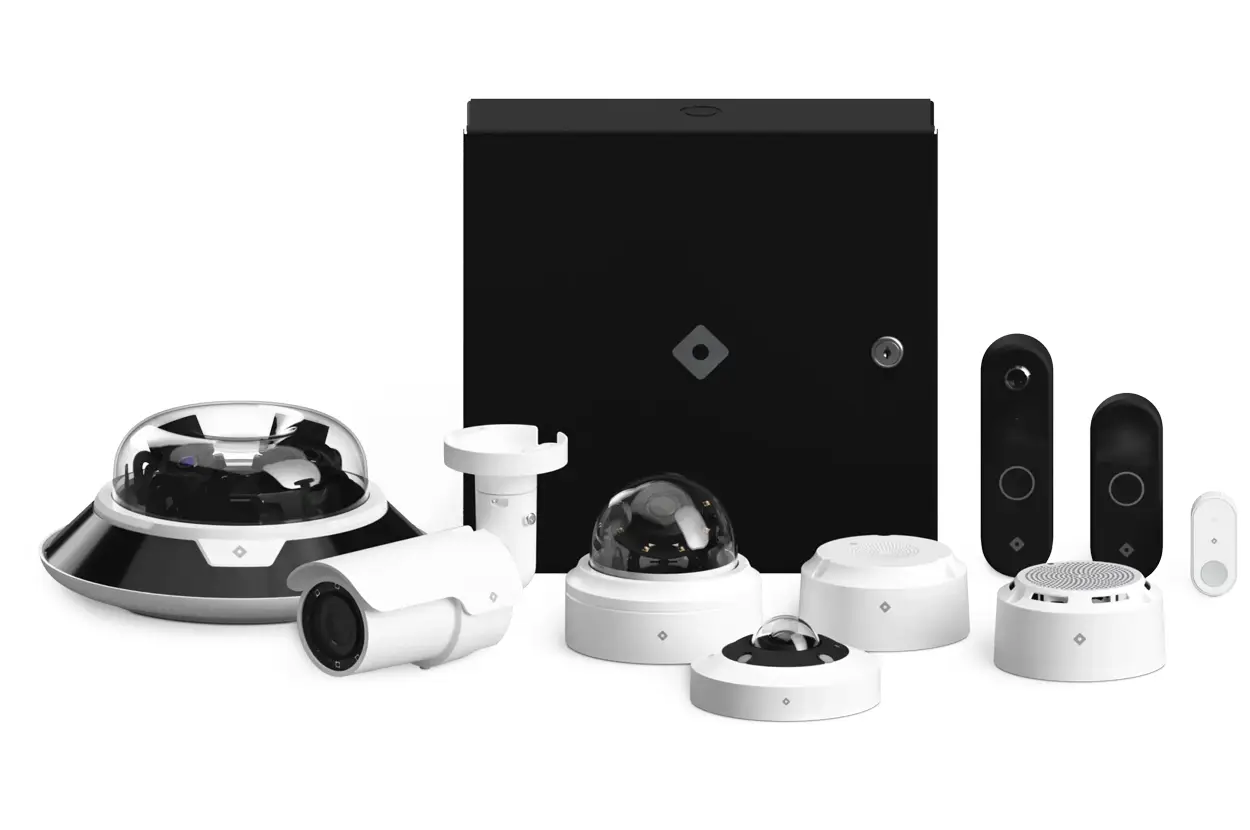
Home security system with various cameras and monitoring devices in white and black, ensuring safety and surveillance.
Certified & Vetted

Remote and on-site teams

Always Available

Local NVR for fast access. Cloud backup for disaster protection.

Properly Sized

Storage calculated for your camera count, resolution, and retention.

Easy Search

Alarm-triggered footage flagged. No scrubbing empty hallways.

How It Works

How Video Storage Works

On-site NVR security camera storage systems sized specifically for your camera count, resolution settings, and retention requirements. Most commercial installations retain 30 to 90 days of footage locally with hard drive expansion options available. Cloud backup provides offsite redundancy for critical footage. Remote playback is configured during installation for all authorized users.
Man in a blue suit reviewing information on a tablet outdoors.
Home security system with various cameras and monitoring devices in white and black, ensuring safety and surveillance.
Comparison

NVR vs. Cloud-Only

Cloud-only storage means recurring monthly subscription fees, bandwidth strain on your internet connection, and complete internet dependency for all recording. On-premise NVR security camera storage provides local control, faster playback performance, and no recurring subscription costs. Most clients choose NVR as their primary storage with cloud backup added for critical footage redundancy.
Process

Getting Started with Video Storage

NVR security camera storage capacity is calculated during your camera system design based on camera count, resolution, frame rate, motion activity, and your required retention period. Expansion is planned from day one so adding cameras or extending retention later means adding hard drives to existing NVR systems, not replacing your entire recording platform.
Managed IT support technician assisting employees with laptop software and business applications.

Have an IT Emergency?

Book a priority consultation and we’ll review your case as soon as possible.

Protect Your Camera Investment

Schedule a site survey for video storage design.
Storage

What Video Storage Includes

On-Site NVR

Network video recorders sized to your camera count, resolution settings, and retention requirements. Storage capacity is calculated precisely so you get the retention period you need without overpaying for unused capacity or running out of space prematurely.

Cloud Backup

RAID-configured drives in NVR systems provide redundancy so a single drive failure does not destroy your footage archive. Failed drives trigger alerts and are replaced under maintenance agreements without any gap in recording coverage.

Retention Management

Cloud backup for critical footage provides offsite copies that survive physical damage to your on-premises NVR. Fire, theft, or hardware failure at the facility does not eliminate the video evidence you need for insurance claims or investigations.

Remote Playback

Health monitoring tracks drive status, recording integrity, and storage capacity utilization continuously. Alerts trigger before storage fills up or drives show early failure indicators so maintenance happens proactively rather than after footage loss has already occurred.

Alarm Integration

Video storage tightly integrated with your camera systems and alarm events. When an access control sensor or motion detector triggers, corresponding footage is automatically flagged, bookmarked, and easy to locate during review.

Alarm Event Integration

Critical footage flagged by alarm events or manual selection preserved beyond standard retention. Important recordings are indexed for fast retrieval during incident review without scrubbing hours of empty hallway video.

IT that doesn't break.
Support that won't ghost you.

See how we’ve helped companies like yours solve IT challenges, strengthen security, and grow without technology getting in the way.


Red circular graphic with a cross-like design on a white background, symbolizing focus or targeting.
Common Questions

FAQ

A single 4MP camera recording at 15 frames per second generates approximately 20 to 30 GB per day depending on scene complexity and motion activity. An eight-camera system retaining 30 days of footage needs approximately 5 to 7 TB of NVR security camera storage. Exact storage calculations are completed during system design based on your camera count, resolution settings, frame rates, and required retention period.
Both on-premises and cloud NVR security camera storage options are available depending on your requirements and budget. On-premises NVR provides full local control, faster playback, and no recurring cloud subscription fees. Cloud storage provides offsite protection and remote access without on-site hardware maintenance. Most clients use on-premises NVR as primary storage with cloud backup for critical footage that requires offsite redundancy.
Yes. Secure playback from any device is configured during installation with role-based access controls determining who can view, export, and manage recordings. Remote NVR security camera storage access works alongside your camera system interface for unified viewing of both live feeds and recorded footage. No VPN is required for remote access, and connections are encrypted.
Yes. Cloud NVR security camera storage uses encrypted connections for data in transit and encrypted storage at rest in SOC 2 compliant data centers. Role-based access controls prevent unauthorized viewing or downloading of footage. Audit logs track who accessed recordings and when. Security standards for cloud video storage meet or exceed the physical security of on-premises NVR systems in most commercial environments.
Yes. Most NVR systems support additional hard drives for expanded NVR security camera storage capacity. We design initial installations with expansion headroom so adding cameras or extending retention periods means adding drives rather than replacing your entire recording platform. Growth planning is part of every system design conversation to ensure your video storage infrastructure accommodates your facility’s evolving security requirements.
Yes. Video footage can be exported in standard formats that law enforcement and legal teams can use for investigations and evidence proceedings. Our NVR security camera storage systems support clip export by date range, camera, and event type. Chain of custody documentation is available for footage exports when required for legal proceedings. Export procedures are configured during installation so retrieval is fast when needed.
0